


One Link, Always Reachable
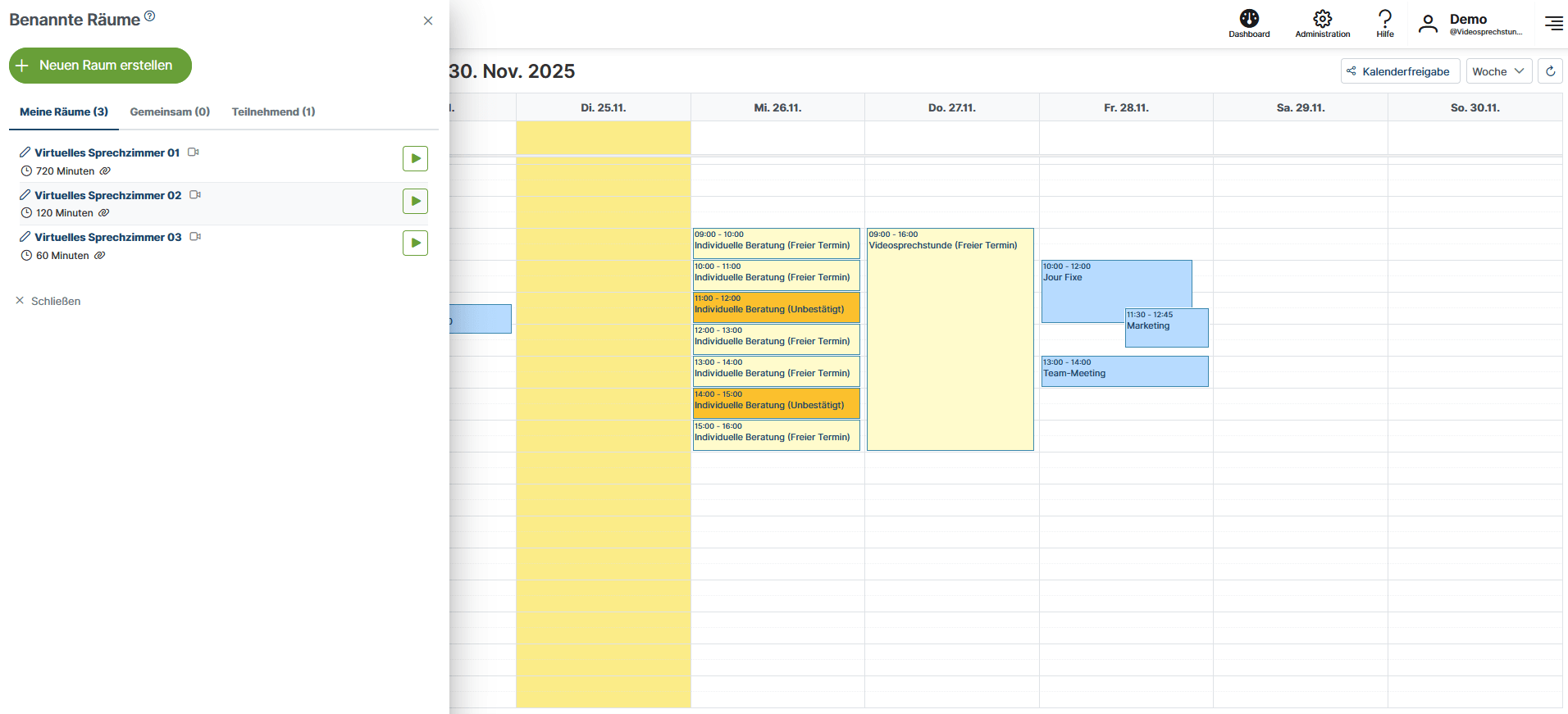
Named Rooms for Your Video Consultation
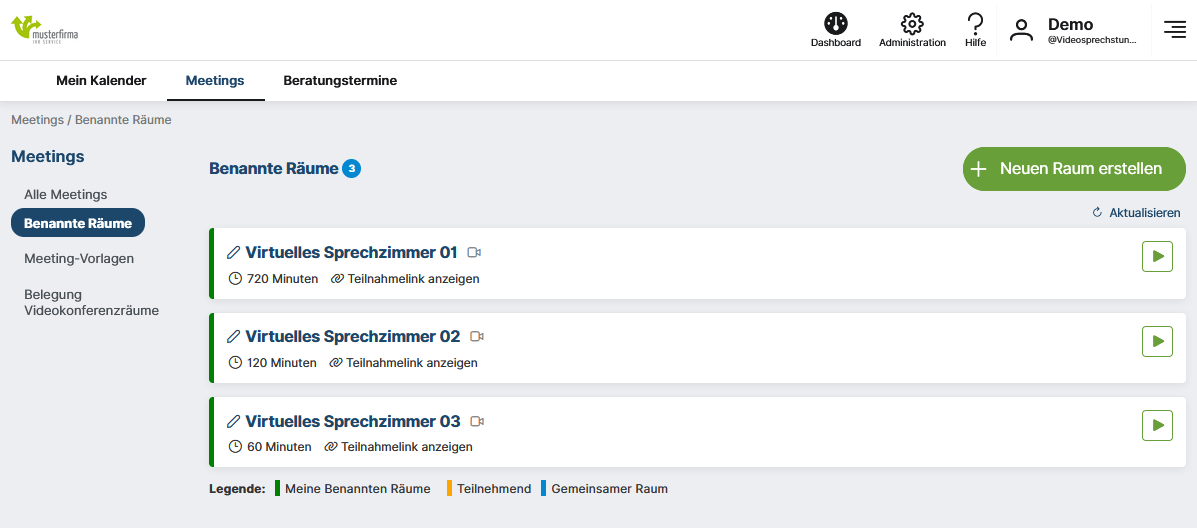
With Named Rooms in ecosero, you can set up reusable virtual rooms with permanent access links – perfect for recurring video consultations, consultation sessions, courses, or information sessions.
In
a Nutshell
What are Named Rooms in ecosero?
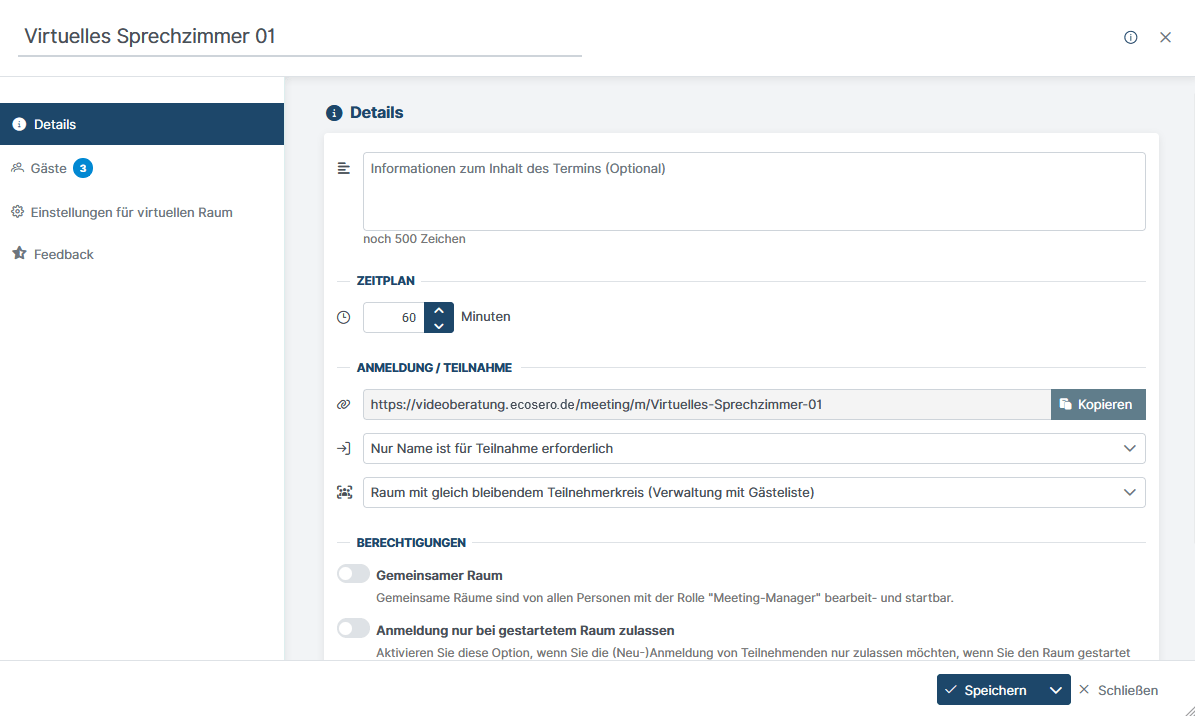
A Named Room is a virtual room with a permanent access link, a waiting room, and reusable settings. For each session, the current appointment details are automatically added—but your attendees always use the same link to join.
- Information about the session's content
- Schedule with date and time
- Access link to the waiting room for registration and entry
If you already use an appointment booking system, you can easily integrate the permanent links from your Named Rooms into your system.
Try ecosero Video consultation hour for free now!
At
a Glance
Benefits of Named Rooms for Practices and Organizations
- Reduced Effort: Configure once, reuse indefinitely
- Professional Attendee Management: Waiting room, guest lists, automatic registration confirmations
- Transparent Access: Display available slots in the waiting room (optional)
- Privacy & Control: Automatically delete the guest list after the session ends (optional)
Access
& Participation
Flexible participation and access control
Named rooms offer flexible options for participation – from open events to strictly controlled access.
- Self-registration via participation link: Guests register themselves and enter the virtual room via the waiting room.
- Mandatory information: Name is always required; email address may be optional or mandatory (e.g. for automatic notifications, provided consent has been given).
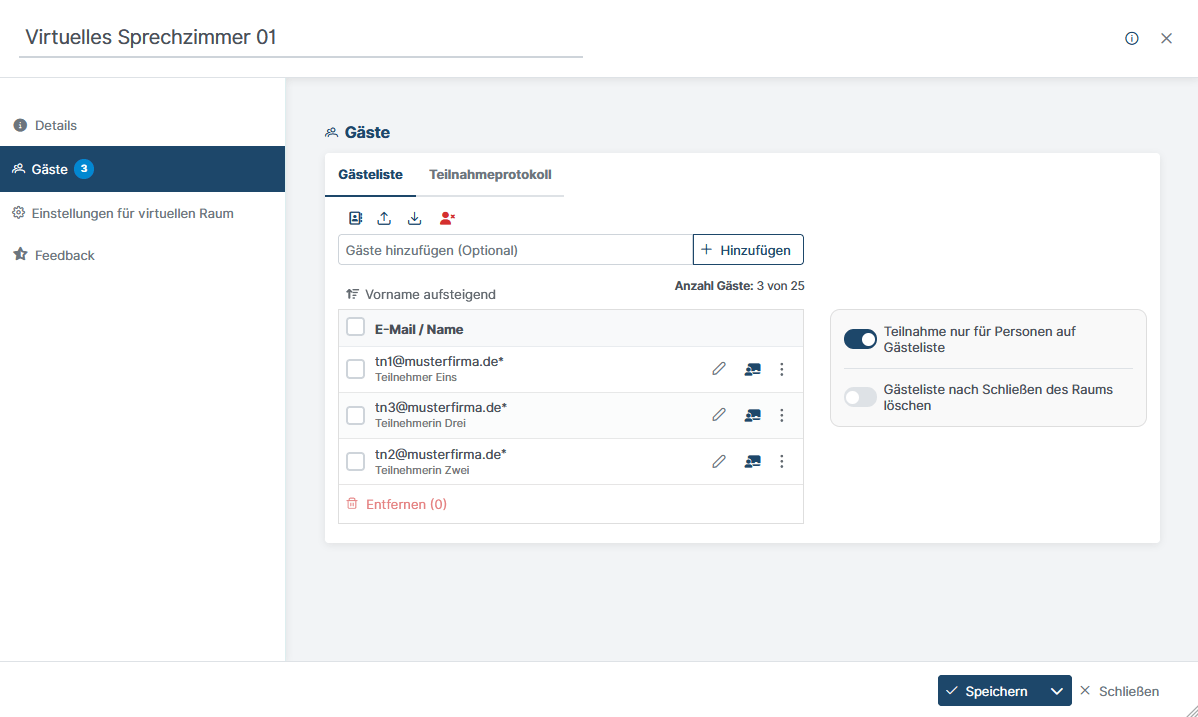
- Guest list: Add specific guests by email address or select contacts from your address book.
- Participation only for people on the guest list: Depending on the settings, only registered people can enter the room.
- Delete guest list after closing the room: The guest list is automatically removed after the event – ideal for changing groups of participants.
- Shared room: Rooms can be edited and started by anyone with the role of meeting manager.
A
seamless experience
Perfect participant experience in the virtual room
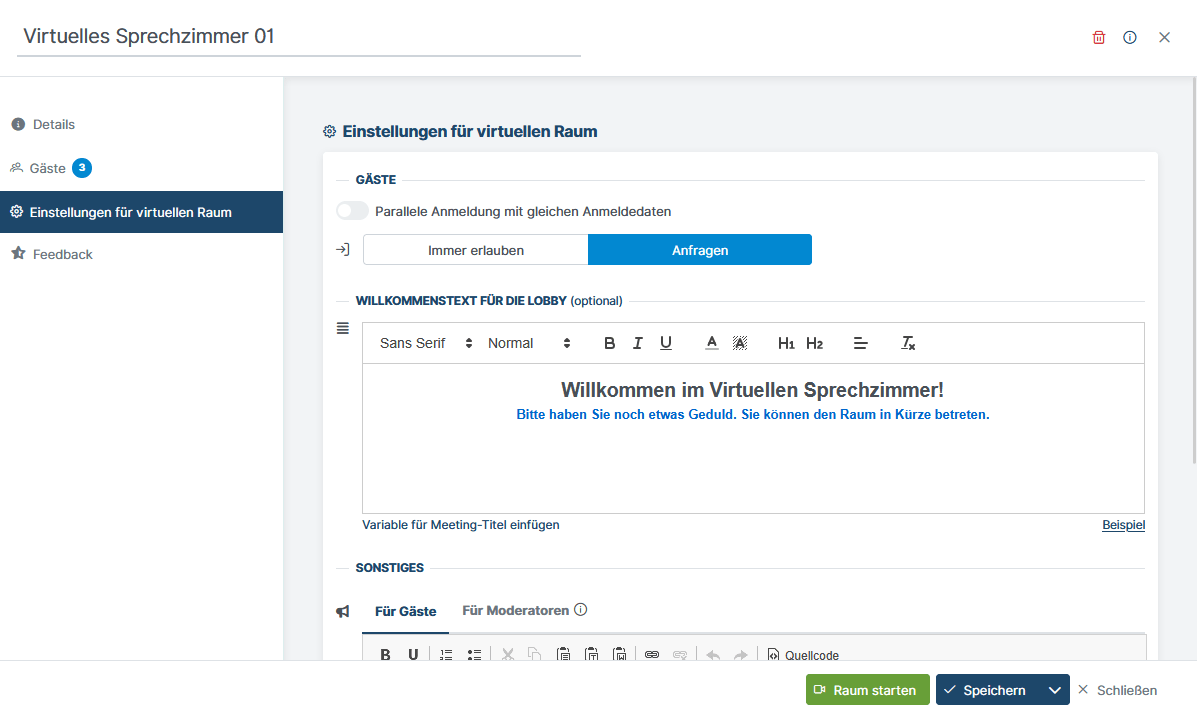
- Access to the virtual room: Immediate access or access only after manual approval by moderators. People waiting to enter are displayed in the waiting room.
- Welcome text: Optional welcome text that is displayed when entering the virtual room.
- Automatic registration confirmations: Upon request, guests will automatically receive a confirmation email after registering. Alternatively, they can decide for themselves whether a confirmation should be sent (provided they provide an email address).
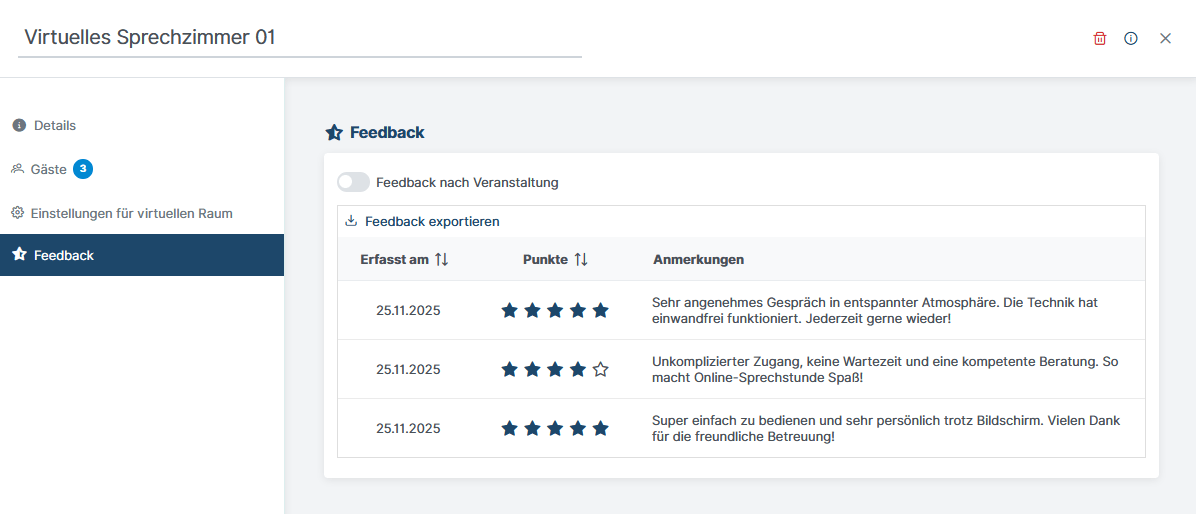
- Feedback after the event: Participants can provide anonymous feedback (points & comments) on the event after leaving the virtual space.